
How to Record Online Coaching Videos That Get Results
Published on April 5, 2026 · Reading time: 16 min
Creating great online coaching videos that actually build your business starts long before you hit the record button. The secret isn't fancy gear; it's a clear content plan that solves specific client problems. This ensures every video delivers real value, moving your clients closer to their goals and turning your expertise into recurring income.
Your Blueprint for High-Impact Coaching Videos
We've all been there: staring at a camera, mind blank, wondering what to say. The solution isn’t to just "wing it." It's to step back and create a strategic blueprint first.
This planning phase separates a random collection of videos from a high-value coaching program that works for you 24/7. Your goal is to build a library of content that coaches clients even while you sleep.
And clients are hungry for this. The global online education market is exploding, projected to smash $650 billion by 2030, driven largely by video content. This tells you one thing loud and clear: clients are actively looking for expert guidance they can access on their own time. You can learn more about the trends in training session recordings and see how top coaches are getting ahead.
Map Your Client's Journey
Before you outline a single video, think about your client's entire journey. What's the ultimate transformation you're promising? Brainstorm every question, challenge, and milestone they'll encounter.
Think of it as creating a roadmap. You wouldn't send someone on a cross-country trip without a map, and the same logic applies to your coaching program. A well-structured video series guides your clients, prevents them from getting lost, and gives them the confidence that they're on the right path.
This initial process—mapping the content, structuring it into lessons, and picking the right video type—is absolutely fundamental.
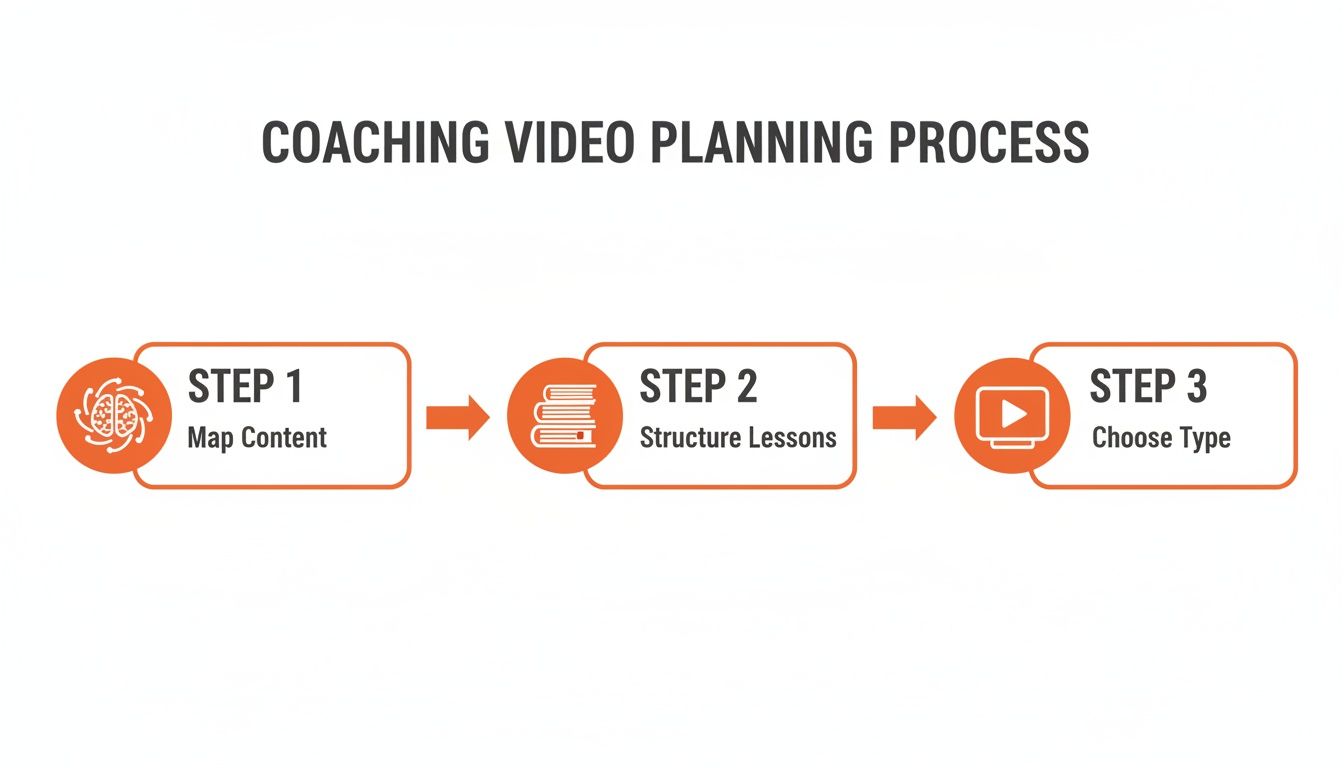
Great video content is built on a foundation of clear strategy, not just fancy camera work.
Structure Your Content for Success
Once you have that high-level map, group your ideas into logical modules and individual lessons. This prevents overwhelm and makes your program feel professional and simple to follow.
Don't try to cram too much into one video. Short, focused lessons are far more effective.
The secret to a successful video program is structuring it for small wins. Each video should give your client a sense of accomplishment, motivating them to continue to the next lesson.
Organize your content into these common formats:
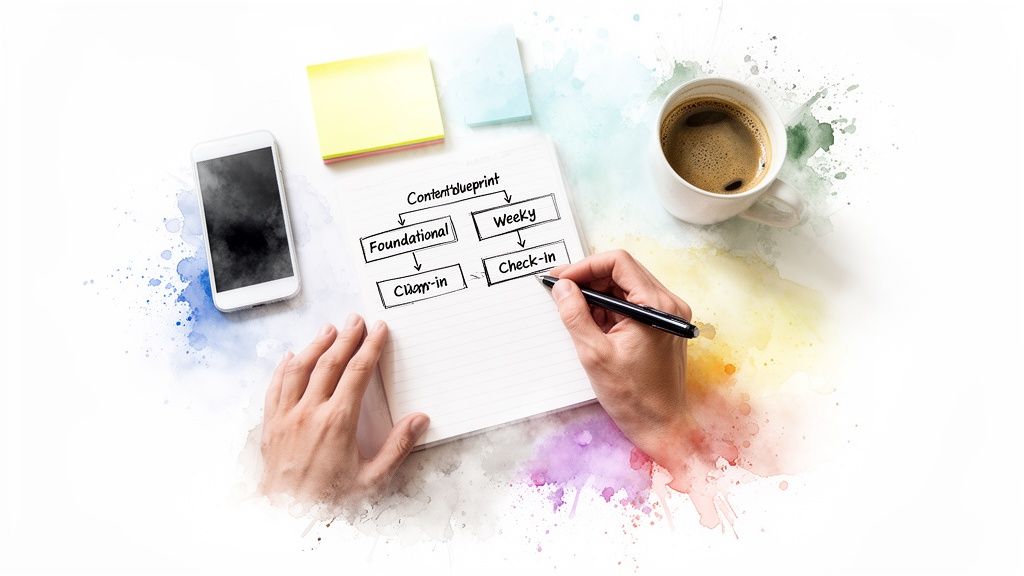
- Foundational Content: Your evergreen "how-to" videos covering core principles, like proper squat form or understanding macronutrients.
- Weekly Routines: These videos deliver the actual workouts or action steps your client needs to complete for a given week.
- Technique Breakdowns: Dive deep into a single, complex movement or concept, showing it from multiple angles.
- Motivational Check-ins: Short, personal videos where you connect with your clients, offer encouragement, and tackle common mindset blocks.
By planning your video structure this way, you create a cohesive and valuable asset for your coaching business. This isn't just about recording videos; it's about designing an experience that keeps clients engaged, subscribed, and getting the results they paid for.
Setting Up Your Home Studio Without Breaking the Bank
Let's be honest, the word "studio" sounds expensive and complicated. But you absolutely do not need to spend a fortune to look and sound professional.
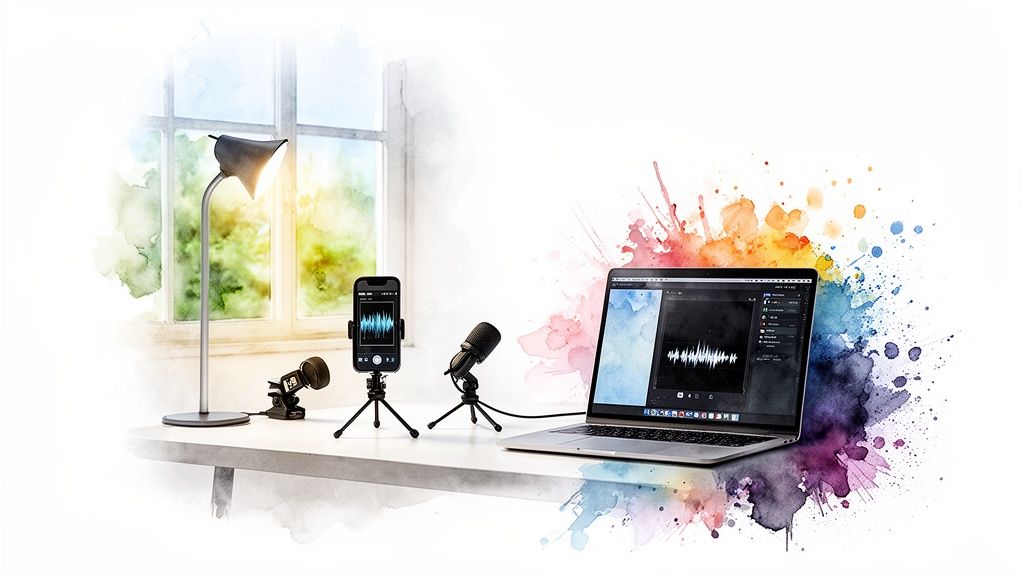
Your clients are paying for your expertise, not your camera gear. However, clear video and crisp audio build trust and ensure every cue and instruction lands perfectly. We’ll break down the essentials—camera, audio, and lighting—so you can start with what you have and upgrade only when it makes sense.
Here’s a simple breakdown of the gear you’ll need, from budget-friendly starting points to professional-grade tools.
Essential Equipment for Recording Coaching Videos
| Equipment Type | Budget-Friendly (Good) | Mid-Range (Better) | Professional (Best) |
|---|---|---|---|
| Camera | Your smartphone | Your smartphone | Mirrorless or DSLR camera |
| Audio | Smartphone's built-in mic | Lavalier microphone | Shotgun or boom microphone |
| Lighting | A large window | Ring light | Three-point lighting kit |
Remember, you can mix and match. The goal is to make smart, incremental upgrades that have the biggest impact on your final product.
Good: Your Smartphone and a Window
Let's start with the best camera most coaches already own: the one in your pocket. Modern smartphones have incredible cameras that are more than capable of shooting fantastic video. The trick isn't buying a new one, but learning how to get the most out of the one you have.
Your number one enemy is shakiness. A wobbly camera is distracting and looks amateur. The single best investment you can make right now is a simple, affordable tripod for your phone. It will instantly improve the look of your videos.
As for audio, your phone's built-in mic works in a pinch, but it will pick up every echo and background hum. If your budget is zero, just get as close to the phone as possible and film in a quiet room with soft furnishings like carpets or curtains to absorb the sound.
The most powerful (and free) lighting tool you have is a window. Always position yourself facing the window. This lets the soft, natural light illuminate you. Never film with a window behind you—it will turn you into a dark, unwatchable silhouette.
This "Good" setup costs next to nothing but can produce results that are more than good enough to get started.
Better: A Lavalier Mic and a Ring Light
Ready for a small step up that makes a huge difference? Your next most impactful upgrade is audio. Clear audio is non-negotiable for coaching. If clients can't hear your cues, breathing techniques, or words of encouragement, the value of your video plummets.
A lavalier microphone (or "lav mic") is a small clip-on mic that plugs right into your smartphone. They are incredibly affordable—you can find excellent options for under $50—and they make a world of difference by isolating your voice. This is a game-changer when you need to record online coaching videos demonstrating exercises where you're moving around.
When natural light isn't enough, a ring light is your new best friend.
- Even Lighting: It provides soft, flattering light that kills harsh shadows on your face.
- Affordability: You can find great ring lights that come with their own tripods for well under $100.
- Versatility: They work just as well for talking-head videos as they do for full-body workout demos.
This combination—your smartphone, a lav mic, and a ring light—is the sweet spot for most coaches. It offers a massive boost in quality for a very small investment.
Best: A Dedicated Camera and Multiple Lights
If your online coaching business is taking off and you're ready to invest in that top-tier look, the "Best" setup involves a few more specialized pieces of gear. This is for coaches who want to create a signature style or get the absolute sharpest image possible.
Start by upgrading to a dedicated camera, like a mirrorless model. These cameras have much larger sensors than smartphones, which helps them perform better in low light and create that professional-looking blurry background (known as bokeh).
For lighting, you can graduate to a three-point lighting setup. This involves a main "key" light, a secondary "fill" light to soften shadows, and a "backlight" to separate you from the background, giving your videos a polished, cinematic depth. Finally, a high-quality shotgun microphone mounted on your camera or a boom stand will capture broadcast-level audio.
But remember, you don't need to start here. Master the basics first. Great content filmed on a smartphone will always beat mediocre content filmed on a $5,000 camera.
Filming Techniques Every Coach Needs to Know
Alright, your home studio is ready and it's time to hit record. But creating videos that actually teach and connect is about more than just pointing a camera. The right filming techniques can be the difference between a client nailing a new exercise and one who’s struggling with form because they can't see the details.
Confidence on camera isn't magic; it comes from knowing a few simple tricks of the trade. We’ll break down the exact shots you need for coaching, how to frame yourself like a pro, and most importantly, how to let your own coaching personality shine through.
Master Your Camera Angles for Clear Instruction
For any sports or fitness coach, camera angles are a critical part of your instruction. If a client can’t see the subtle details of your posture or movement, they could perform an exercise incorrectly, leading to frustration or even injury.
When you record online coaching videos with physical demonstrations, you have to think like you're coaching them in person. You wouldn't just stand directly in front of them; you'd walk around to check their form from all sides.
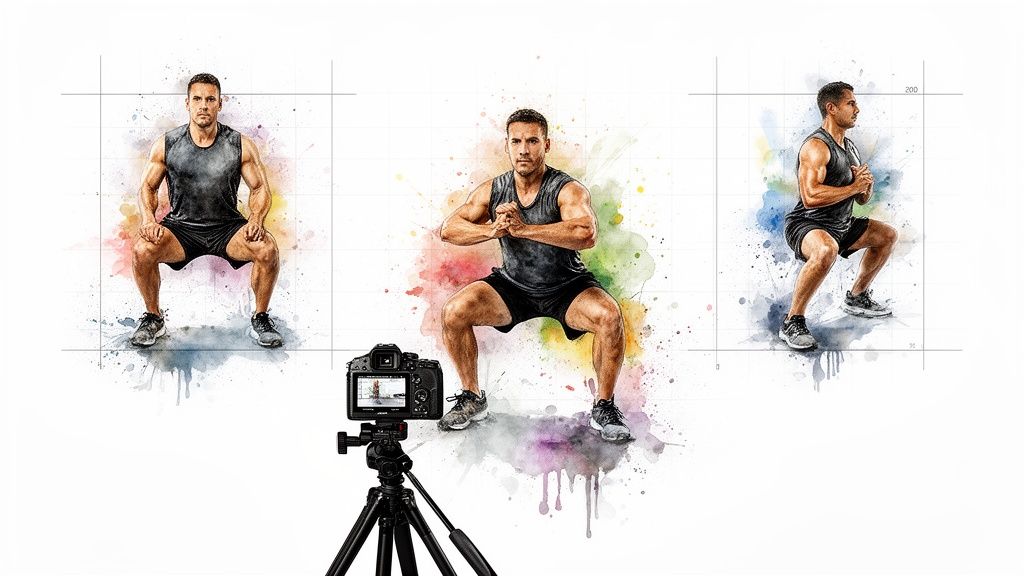
Your videos have to replicate that same experience. Always plan to capture key movements from at least two different angles:
- The Front View: This is your go-to for showing alignment, like hand placement on a barbell or the width of a squat stance. It’s also perfect for talking directly to the camera to build that personal connection.
- The Side View (Profile): This angle is non-negotiable for demonstrating posture. It’s the only way to clearly show the curve of the spine in a deadlift, the depth of a squat, or the alignment of the knee over the ankle during a lunge.
And no, you don't need two cameras. Just perform a set facing forward, pause the recording, move your camera to the side, and do another set. You can easily stitch these two clips together in editing to create a dynamic and incredibly clear video.
Choose the Right Video Format for the Job
Not all coaching videos are created equal. Just like you have different tools in your gym bag, you should use different video formats for specific coaching goals.
Talking-Head Videos
This is simply you, talking directly to your audience. It's the best format for weekly check-ins, mindset coaching, or explaining a concept. It builds trust and makes your clients feel like you’re speaking right to them.
Action Shots and Demonstrations
This is the bread and butter of fitness coaching. These are your full-body shots where you demonstrate exercises, run through drills, or perform entire workout circuits. This is where a multi-angle approach is absolutely essential.
Screen Recordings
Don't sleep on screen recordings. This format is hugely valuable for walking clients through their training plan in a spreadsheet, explaining how to use a nutrition app, or reviewing their technique video. It’s a powerful educational tool that adds a layer of professionalism and clarity.
When giving personalized feedback, nothing beats video. Research from Ohio State University found that spoken video feedback can be up to 8.5 times more efficient than written feedback, letting you deliver detailed, encouraging corrections much faster. You can learn more about the power of video feedback in teaching.
Deliver With Energy and Authenticity
Finally, always remember that your greatest asset is you. Your clients signed up for your personality and unique coaching style, so let that come through on camera.
Before you hit record, take a moment to get into your "coach state." Put on some music, do a few jumping jacks—whatever it takes to bring your energy up. Speak as if you're talking to your favorite client. Smile, be encouraging, and don't panic if you stumble over a word. Those small imperfections make you human and relatable.
The goal isn't Hollywood perfection. It's clear, confident, and motivating instruction that gets your clients the results they're paying for. Your authentic energy is what will keep them engaged and coming back for more.
Editing Your Videos for Engagement and Clarity
You’ve hit stop on the camera and now have a folder full of raw video clips. This next step—editing—is where you turn that raw footage into a polished, professional asset that makes your clients feel supported and keeps them coming back.
Don't panic. This isn't about becoming a Hollywood film editor overnight.
A few simple tweaks can make a massive difference. Your goal isn’t flashy special effects; it’s about clarity, energy, and a clean finish that reinforces the value of your coaching.
The Core Four of Coaching Video Edits
Think of editing like tidying up your gym before a client arrives. You want the space to be clean, organized, and motivating. The same principle applies to your videos.
Here are the four essential edits that will instantly improve your content:
- Trim the Fat: Cut out the awkward few seconds at the beginning and end where you’re walking to and from the camera. Snip out any long pauses, coughs, or moments you lost your train of thought. This keeps the energy high and shows you respect your client's time.
- Add Simple Text Overlays: You don't need wild animations. Simple, clean text on screen is incredibly powerful for reinforcing key instructions. Use it to display things like "3 Sets of 10 Reps" or "Focus on Your Breathing." This is a huge help for clients following along mid-workout.
- Layer in Background Music: A subtle, royalty-free music track can completely change the vibe. It injects energy into a tough workout or creates a calm, focused atmosphere for a yoga flow. The key is to keep the volume low—it should support your voice, not compete with it.
- Brand Your Content: Add your logo as a small, semi-transparent watermark in one of the corners. This simple touch constantly reinforces your brand and makes every video you produce look more official and professional.
Keep It Short and Sweet
When you record online coaching videos, length matters more than you think. Long, rambling videos are a surefire way to lose your audience's attention. It's always better to create several short, focused videos than one marathon session.
A landmark study on video engagement found that videos under six minutes long hold viewer attention significantly longer than their longer counterparts. Engagement drops off a cliff after the six-minute mark, a vital piece of information for any coach creating workout demos or quick tips. You can read more about how video length impacts viewer retention in educational settings.
This data confirms what every great coach already knows instinctively: short, impactful instructions always win. Break down complex movements or concepts into a series of bite-sized videos that clients can easily watch, understand, and put into action.
Simple Tools for Clean Edits
You don't need to spend a fortune on complicated editing software. Plenty of user-friendly, and even free, tools will give you everything you need for the essential edits we’ve just covered.
- Free Options: Tools like CapCut (for mobile) and DaVinci Resolve (for desktop) offer incredibly powerful features at no cost.
- Low-Cost Subscriptions: Software like Descript lets you edit your video by simply editing the text transcript, which many coaches find faster and more intuitive.
Pick one tool, learn the basics, and stick with it. The goal is to build an efficient workflow that gets your videos client-ready without eating up all your time. Clean editing makes your expertise easier to follow and your coaching more effective. It's as simple as that.
How to Host and Deliver Your Videos Securely
You’ve planned, filmed, and polished your coaching videos. But now comes the part that makes or breaks your business: getting that content into the hands of your paying members—and only your paying members.
This final step is where many coaches accidentally sabotage their hard work. Sending a quick YouTube or Google Drive link might feel easy, but it’s like leaving the front door of your gym wide open. It offers almost zero protection for your premium content.
Your coaching videos are a valuable asset you’ve poured hours into creating. Protecting that asset is essential if you want to build a sustainable, recurring income stream.
Why Unlisted Links Are a Risky Strategy
An "unlisted" YouTube video or a "shareable" Google Drive link feels private, but it's a security illusion. Anyone with the link can watch your video, and more importantly, they can pass it along to non-paying friends. Before you know it, your exclusive content is floating around outside your paid community, devaluing your program.
Think about it: a client pays for one month, gets all your video links, then cancels. What’s stopping them from keeping those links forever? Nothing. You’ve just lost a paying member, but they still have lifetime access to your core product. This is a common and costly mistake.
The goal isn't just to share your videos; it's to control access to them. Secure delivery ensures that your content remains exclusive to the members who are actively paying for your expertise.
Secure Hosting Platforms: The Professional Choice
To truly protect your content, you need to use a platform built specifically for secure video hosting. These services offer powerful features that public platforms don't, giving you total control over who sees your videos and when.
Look for these non-negotiable security features:
- Domain Restriction: This is a game-changer. It lets you lock your videos so they can only be played on your own website, preventing anyone from embedding them elsewhere.
- Password Protection: A simple but effective layer. You can require a password for viewers to access a specific video or an entire playlist.
- No Download Options: These platforms make it significantly harder for users to download your video files directly to their computers.
Using a dedicated video host is a massive step up in professionalism and security. It signals to your clients that they are part of a premium, protected experience.
The Power of an Integrated System
The best-case scenario is a system where video delivery is tied directly to payments and community access. Imagine this: a new client subscribes to your coaching program. The moment they pay, they are automatically added to your private WhatsApp, Telegram, or Discord community, where they get instant access to your entire video library.
This is where automation becomes your most valuable player. If that same client cancels their subscription or a payment fails, the system automatically removes them from the group. Their access to your video content is instantly revoked without you lifting a finger.
This integrated approach solves the security problem completely. It guarantees that only active, paying members can view the content you record for your online coaching videos. It also streamlines your entire workflow, getting rid of the tedious admin tasks of manually adding and removing members. For coaches managing group communities, this level of automation is a lifesaver. For example, learning how to build a professional Discord server for your community and connecting it to an automated system creates a powerful, self-managing business engine.
Turning Your Videos into Recurring Income
You’ve put in the hard work to create a library of solid coaching videos. Now it’s time to make those assets work for you, turning a folder of videos into a reliable income stream.
The secret is packaging your expertise into offers that meet your clients where they are. Not everyone wants the same thing, so a tiered system is the smartest way to go. It allows you to serve a wider audience and creates a natural path for people to upgrade as they get more committed.
Building Your Value Ladder
A "value ladder" is a simple way to structure your offers, starting with the most accessible and moving up to your most premium service. It gives clients options and lets them choose their own adventure.
Think about packaging your video library in a few different ways:
- One-Time Purchase Course: Your entry point. Bundle a set of foundational videos into a "Beginner's Program"—like a 30-day yoga challenge or mastering the deadlift—and sell it for a single, upfront price.
- Monthly Subscription: The core of your recurring revenue. Offer ongoing access to your entire video library, perhaps with new weekly workouts or monthly Q&A sessions added in.
- Premium Tier: Combine that video library with high-touch support like personalized video feedback or 1-on-1 calls. This is your top-tier package, delivering the most value and commanding the highest price.
This is just the start. You can get much more specific on how to package and sell online courses, which often becomes the bedrock of a coach's video-based business.
Pricing Your Video Offers
Pricing can feel like a shot in the dark, but it all comes down to communicating value. Your monthly subscription should be an easy "yes" for most people, while your premium tier needs to reflect your direct time and expertise. Don't be afraid to charge what your personalized coaching is truly worth.
The most successful online coaches build systems where their content generates income even when they aren't actively working. This shift from trading time for money to building a scalable asset is the key to long-term financial freedom.
The right tools make this all happen seamlessly. For instance, some platforms are built specifically to help trainers manage dozens of clients without losing their minds. In markets like the U.S., where a majority of personal trainers now offer online programs, these tools are what make it possible for a single coach to generate significant annual revenue. You can even see how some of these coaching-specific platforms are structured to support this very model.
By packaging your expertise into clear offers and using systems that automate payments and member access, you eliminate the daily admin headaches. This frees you up to focus on what you actually love to do—coach.
Frequently Asked Questions About Coaching Videos
When you're getting ready to film your first online coaching videos, a million questions can start swirling. It's totally normal. Every coach has been there.
Let's cut through the noise and tackle some of the most common questions we hear. These are the practical, no-fluff answers that will help you hit record with confidence.
How Long Should My Coaching Videos Be?
It's tempting to cram everything into one epic, hour-long video, but that’s a surefire way to lose your client's attention. Think shorter. Much shorter.
Your sweet spot for most videos—like a full workout circuit or a deep dive into a concept—is in the 5-10 minute range. This is long enough to teach something meaningful but short enough to keep them locked in.
For quick motivational hits, a single exercise breakdown, or a mindset tip, aim for 1-3 minutes. It's far more effective to create a playlist of five focused, 3-minute videos than one overwhelming 15-minute one that a client will never finish.
What If I Make a Mistake While Recording?
First off, relax. Everyone flubs a line or stumbles over a word. Those little imperfections actually make you more relatable and human—they show you’re a real coach, not a robot.
Here’s the best trick in the book: when you mess up, don't stop the recording. Just pause for a second, take a breath, and give one single, loud clap.
That sharp clap creates a huge spike on your video and audio timelines. It’s like a visual bookmark that makes it incredibly easy to find and snip out the mistake later in editing. The goal isn't flawless perfection; it's clear, authentic coaching.
How Can I Make My Videos More Engaging?
Your energy and personality are your single biggest assets. To make your videos feel more like a real session, don't talk to a camera—talk to a specific client. Seriously, picture one of your favorite clients and talk directly to them.
This simple mind trick changes your delivery from a generic broadcast into a personal conversation. Ask rhetorical questions you know they'd have. Say things like, "I know that last rep is a burner, but stay with me here. Focus on your breathing." This shows you get it.
And don't underestimate your audio. Research confirms that crystal-clear sound is a massive deal, with one study finding that 75% of viewers rated videos higher simply because the instructions were easy to hear. You can dig deeper into how audio quality impacts video success on bepro11.com.
The secret to engagement is bringing your "coach state" to the camera. Before you hit record, put on some music, shake it out, and smile. Bring the same supportive energy you'd bring to a 1-on-1 session.
Do I Need a Script for My Videos?
A full, word-for-word script is almost always a bad idea. It's the fastest way to sound stiff, robotic, and completely unnatural. You'll be so focused on reading that your coaching personality will disappear.
A much better approach is a simple bullet-point outline.
Jot down the key points you need to hit: the exercises in order, the most important cues, and any major talking points. This gives you a roadmap to keep you on track without killing your natural flow. An outline provides structure but gives you the freedom to be yourself.
Ready to turn those videos into a secure, recurring income stream? Join My Coach makes it effortless by automating payments, subscriptions, and access to your private WhatsApp or Discord communities. You focus on coaching, we'll handle the admin. Start your free plan today.