
Automate Coaching Business: Your 2026 Blueprint
Published on July 8, 2026 · Reading time: 15 min
If you're coaching online, there's a good chance your day doesn't end when the coaching ends.
You finish a session, then chase a late payment. You manually send a welcome message. You paste the same onboarding instructions again. You add one member to WhatsApp, remove another from Discord, answer a basic question you've already answered ten times, then realize you forgot to follow up with the client who went quiet last week.
That setup works for a while. Then it starts eating the business.
The coaches who grow without drowning make one shift. They stop treating admin as a side task and start building an operating system around their offer. If you want to automate coaching business workflows, the win isn't just convenience. It's consistency, retention, and the ability to scale your income without turning every new client into more manual work.
From Burnout to Blueprint: The Case for Automation
Most coaches don't burn out because coaching is hard. They burn out because everything around the coaching is manual.
Payments. Access. Follow-ups. Check-ins. Reminders. Welcome emails. Renewals. Content delivery. Testimonial requests. None of these tasks are difficult on their own. Together, they create a business that depends on you touching every step.
Growth gets punished when your systems stay manual
That model becomes a problem as demand grows. The global coaching market was valued at $5.34 billion in 2025 and is projected to reach $5.8 billion in 2026, according to these coaching market projections. The same source notes that coaches using AI-enhanced intelligence report up to 40% higher renewal rates and a 25% reduction in client drop-off.
That matters because scaling by adding more 1:1 hours has limits. The same source also points out that group coaching models can let a coach serve 20 clients at $1,000 each, or $20,000 total, for the same time investment previously required for individual 1:1 sessions.
Automation should protect your energy, not remove your presence
Good automation doesn't replace the coach. It removes the repetitive motions that don't need your voice every time.
You should still coach, correct, encourage, and lead. You just shouldn't have to manually process every payment, hand-send every resource, or remember every renewal date.
Practical rule: Automate the steps that happen the same way every time. Keep the steps that depend on judgment, nuance, and trust.
A solid system does a few things in the background:
- Collects payments effectively so clients don't need to message you to ask how to join
- Grants access automatically so paid members get in fast
- Onboards new clients consistently so nobody starts confused
- Delivers coaching structure so your group doesn't depend on your daily memory
- Flags retention risks so quiet clients don't disappear unnoticed
The coaches who build this well look calmer from the outside. That's not luck. Their business isn't running on reminders in their head.
Build Your Core Money Machine First
If the payment and access flow is messy, everything after it feels messy too.
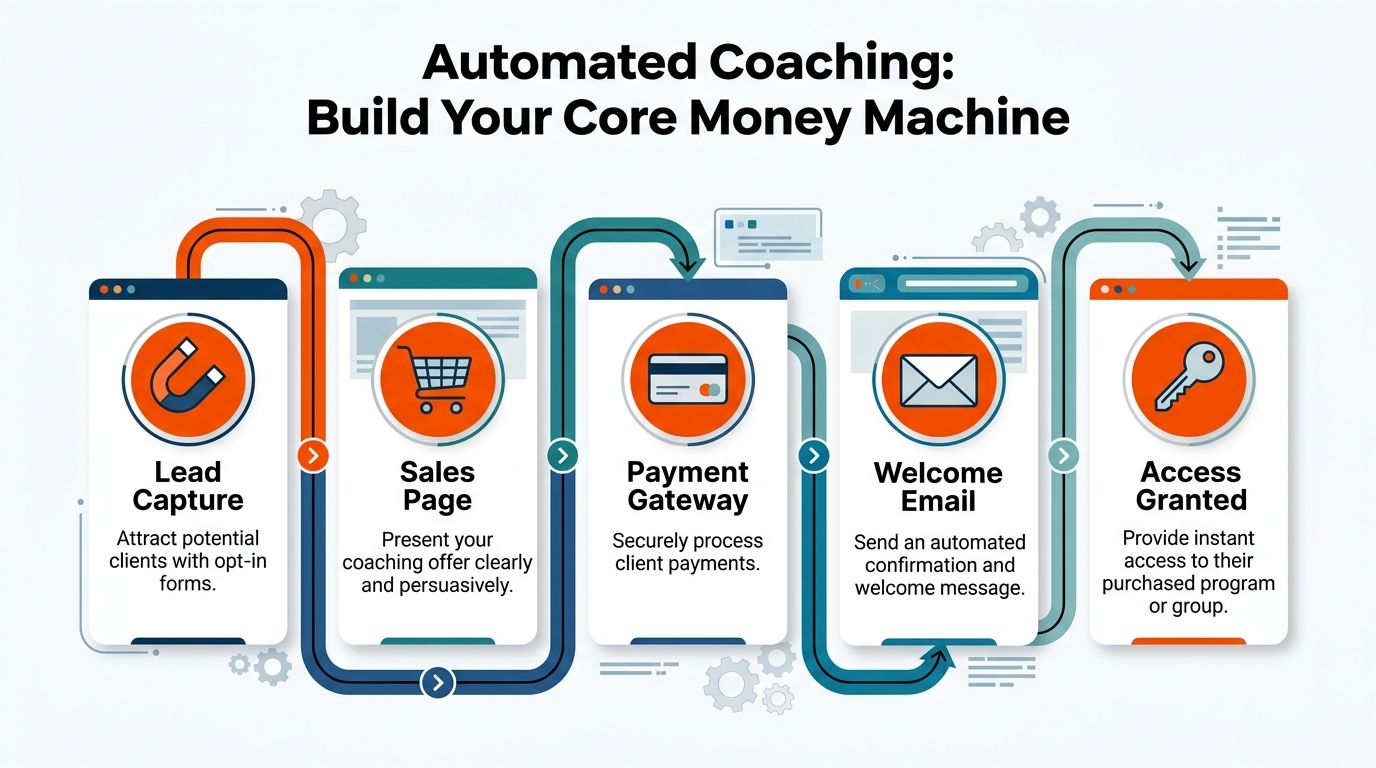
A lot of coaches start by obsessing over content calendars, fancy automations, or AI tools. That's backwards. The first machine you need is simple. A person finds your offer, pays, gets welcomed, and receives access without you stepping in.
Start with one offer that is easy to understand
Don't automate confusion.
Your sales page should answer five things fast:
- Who it's for
- What result you're helping with
- What's included
- How the membership works
- How to join
If you're running a WhatsApp fat loss group, say that. If your Discord server includes weekly programming, nutrition feedback, and community accountability, spell it out. Vague pages create vague buyers, and vague buyers create refund requests, support messages, and churn.
A clean offer beats a clever one.
Put Stripe at the center of the transaction
Once the offer is clear, connect a payment processor like Stripe and let it handle the billing logic. This is the piece that changes daily life most quickly.
According to workflow automation ROI data, organizations implementing workflow automation report a 200% return on investment within the first year, and payment automation alone can free up over 500 hours annually for administrative work.
That number feels believable when you've spent months manually checking who paid, who renewed, and who should still have access.
Access should happen automatically after payment
The handoff matters more than most coaches think.
When someone pays, they shouldn't wait for you to wake up, finish a session, or check DMs. They should move straight into the paid environment. That's where tools like Zapier, Make, or a purpose-built community payment platform become useful.
The core flow looks like this:
| Step | What happens | Why it matters |
|---|---|---|
| Lead clicks offer | They land on your sales page | The buying path stays simple |
| Client pays via Stripe | Payment is processed securely | You stop handling billing manually |
| Automation triggers | A webhook or connector fires | The system reacts instantly |
| Welcome email goes out | The client gets instructions | Confusion drops immediately |
| Group access is granted | They join WhatsApp, Discord, or Telegram | Delivery starts without delay |
Keep the stack boring
A lot of broken systems come from coaches trying to stitch together too many apps at once.
Use the fewest moving parts possible. If you need a place to compare practical business tools, this roundup of freelance tools for online business workflows is a useful starting point.
What works:
- Sales page tool or checkout page
- Stripe for payments
- One automation layer, such as Zapier
- One community destination, such as WhatsApp or Discord
- One email tool for confirmation and onboarding
What often doesn't work:
- Too many conditional paths that break when a payment fails
- Manual fallback steps hidden inside an "automated" system
- Multiple community platforms at once before your main offer is proven
- Overdesigned funnels when the primary issue is offer clarity
Build the shortest path from "I want this" to "I'm inside."
If you automate coaching business systems in the right order, this is the first place to clean up. A strong money machine doesn't just collect revenue. It removes friction at the exact moment trust matters most.
Create a Flawless Client Onboarding Experience
A client buys at the exact moment your business either feels organized or feels risky.
They have paid, they are paying attention, and they want proof that joining was a good decision. In a chat-based coaching business, onboarding is not a side task. It is the handoff between sales, payment, delivery, and retention. If that handoff is messy, the rest of the system has to work harder to recover trust.

The first hour needs one clear path
The best onboarding flows answer the client's first three questions fast. What happens now? Where do I go? What do you need from me first?
If those answers are buried across five emails and two apps, people stall. Some never complete the intake. Some join the group but stay quiet. Some show up to the first call without context, which means you spend the session collecting basics instead of coaching.
A cleaner setup gives the client one next step.
Right after payment, send a welcome email that does three jobs:
- Confirms the purchase so there is no doubt the payment went through
- Explains the next step in plain language
- Links to one action they should complete now
That action might be an intake form, a kickoff booking page, or a short orientation page. Keep it to one. I have tested longer welcome emails, and they create more delay, not more clarity.
Build onboarding as a connected system
Coaches often treat onboarding as a few scattered admin tasks. It works better as an operating sequence.
A practical setup usually looks like this:
| Tool | Job in onboarding | Best use |
|---|---|---|
| Email platform | Sends the welcome sequence | Confirmation, orientation, reminders |
| DocuSign | Handles contracts or waivers | Signed admin before coaching starts |
| Typeform or Google Forms | Collects goals, history, and constraints | Gives context before your first interaction |
| Calendly | Books the first call | Removes scheduling friction |
What matters is the order.
Payment happens first. Then the client gets access instructions and a single action. Once that step is complete, they book their first call or get routed into the right chat channel. That sequence keeps momentum high and admin low. It also protects your time, because you stop answering the same "what do I do next?" messages every week.
Good onboarding improves attendance and follow-through
This part affects revenue more than many coaches expect.
Teams at Calendly have documented that reducing booking friction and guiding people clearly through scheduling improves meeting completion because fewer people drop off between intent and action. Their advice on reducing no-shows with scheduling workflows and reminders lines up with what coaching businesses see in practice. Clients are more likely to show up when onboarding tells them exactly what to do and when to do it.
That result is easy to explain. Clear steps create commitment. Confusing steps create hesitation.
A strong onboarding flow turns a new sale into an active client, not just a paid invoice.
Make it personal in the places that count
Automation should remove admin, not remove your voice.
A short welcome video helps if your offer is high touch, and this guide on how to record online coaching videos is useful if you want to add that without overcomplicating production. The goal is not polished branding. The goal is reassurance. Clients want to hear how your program works, where to ask questions, and what a good first week looks like.
The writing matters too. Use the client's name. Tell them what happens after they submit the intake. Tell them where people usually get stuck. Tell them when they will hear from you again.
A few rules keep this effective:
- Write like a coach
- Give one instruction per message
- Repeat the main links in more than one place
- State response times clearly
- Tell clients where support lives, especially if delivery happens in WhatsApp, Discord, or Telegram
Remove failure points before they cost you time
Onboarding problems are not dramatic. They are small breaks that pile up.
A form goes to spam. A client misses the booking link. A waiver sits unsigned. A group invite expires. None of that feels serious on its own, but together it creates a weak start and extra admin. The fix is simple. Test the full journey on your own offer from payment through group entry, and check it on mobile too. Most clients will.
Strong onboarding feels calm because the business has already handled the obvious friction points. This is a key benefit of automation. You save time, clients get certainty, and the whole coaching system starts working as one connected experience.
Systematize Your Content and Coaching Delivery
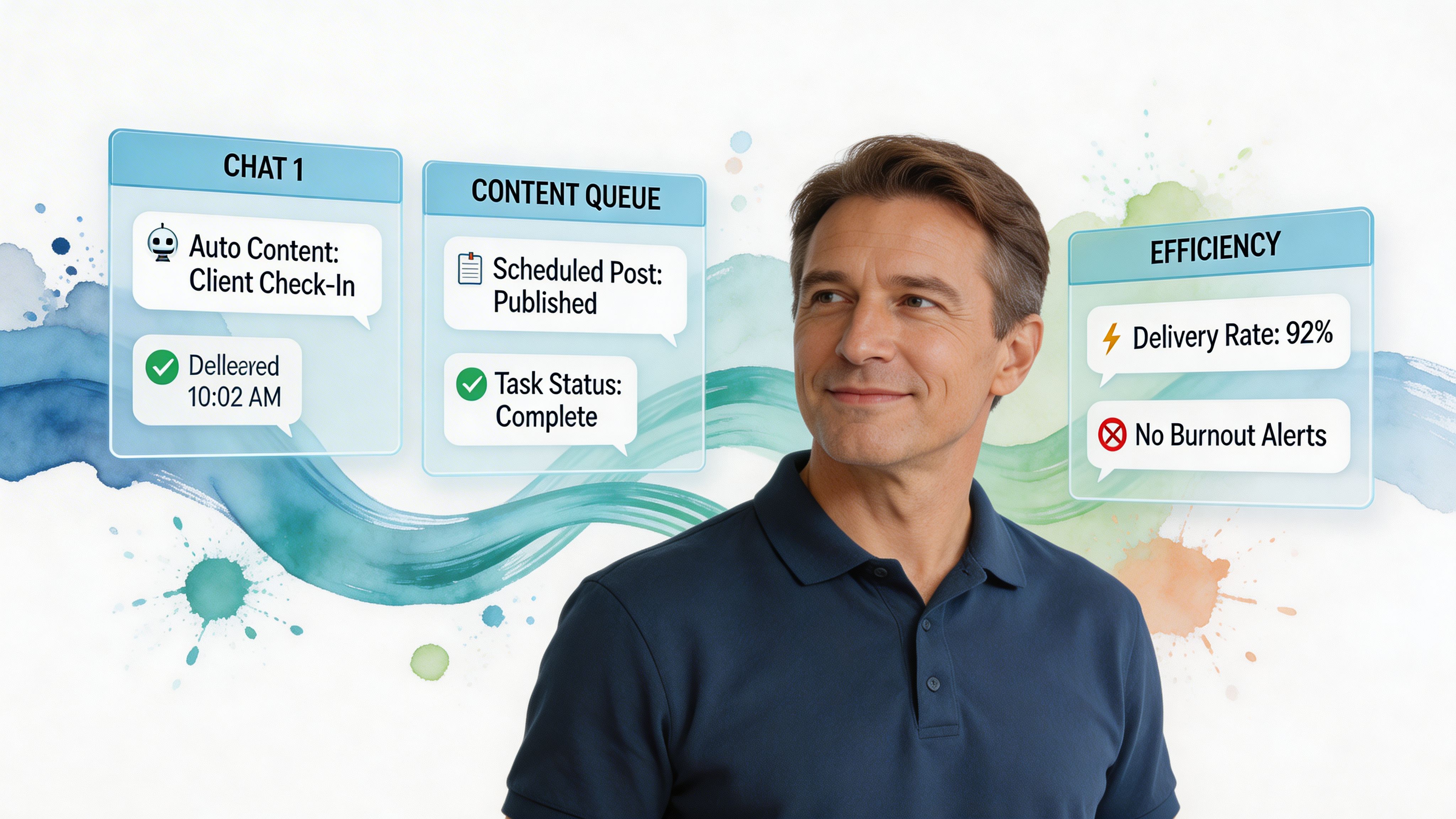
Once people are inside, the next pressure point appears fast. Delivery.
Many coaches slip back into reactive work at this point. Every day starts with, "What should I post today?" or "Who do I need to check on?" That approach drains energy because the business depends on your memory and mood.
Build repeatable rhythms inside the community
A chat-based coaching business works best when members know the cadence.
That doesn't mean every week has to feel robotic. It means the structure is predictable enough that clients stay engaged without you reinventing the experience constantly.
A simple weekly rhythm might include:
- Monday focus post with the week's training or nutrition target
- Midweek accountability check-in using a form
- Friday wins thread for progress, lessons, or small victories
- Weekend resource drop with a video, PDF, or replay
In Discord, that can live in dedicated channels like #announcements, #workouts, #nutrition, and #check-ins. In WhatsApp or Telegram, you can pin the important posts and keep repeating landmarks visible.
Batch the content that doesn't need to be live
Most educational content can be prepared in advance.
Workout explanations, nutrition guides, FAQ answers, habit reminders, and basic mindset prompts don't need to be written on the day you send them. Batch them. Load them into your scheduling tool or your delivery platform. Let the community receive value on time whether you're online or not.
If you're creating training content regularly, this guide on recording online coaching videos can help make your resource library easier to build and reuse.
The shift is simple. Stop treating every post as a fresh performance. Start treating your best material as an asset.
Use automation for check-ins, not just content drops
Content alone doesn't create results. Follow-through does. Lightweight automation becomes powerful for this. Weekly forms can ask clients what they completed, where they struggled, how their energy felt, and what support they need next. Responses can feed into a spreadsheet or coaching dashboard so you review them in batches.
Real-time prompts can also support engagement. According to AI-driven coaching automation benchmarks, auto-detecting missed daily motivations in a WhatsApp group and triggering a micro-coaching prompt can achieve an 85% delivery success rate. The same source notes that automating habit trackers can reduce no-shows by 22% via reminders, and AI monitoring of key metrics can boost premium-tier upsell conversions by 18%.
Those examples are useful because they show where automation helps most. It supports behavior. It doesn't replace coaching judgment.
Operator mindset: Automate the reminder. Personalize the response.
Keep exclusive content organized and easy to access
A paid community feels more valuable when members can find what they paid for.
Messy delivery creates support tickets and drop-off. Clean delivery builds momentum. Store PDFs, videos, audio files, and templates in one obvious place. Label resources by outcome, not by your internal naming style. "Week 1 meal prep guide" is better than "nutrition file final v3."
What works well:
- Starter resources for first-week success
- A searchable content library for evergreen material
- A weekly drip for pacing and accountability
- Simple naming conventions so members can find things fast
What creates frustration:
- Important resources buried in old chat threads
- Too many channels with overlapping purposes
- Inconsistent posting days
- Content that arrives without context or next steps
A systematized delivery model gives you room to coach better because the basics are already handled. You're no longer spending your best energy on logistics.
Build a Retention Engine with Smart Automation
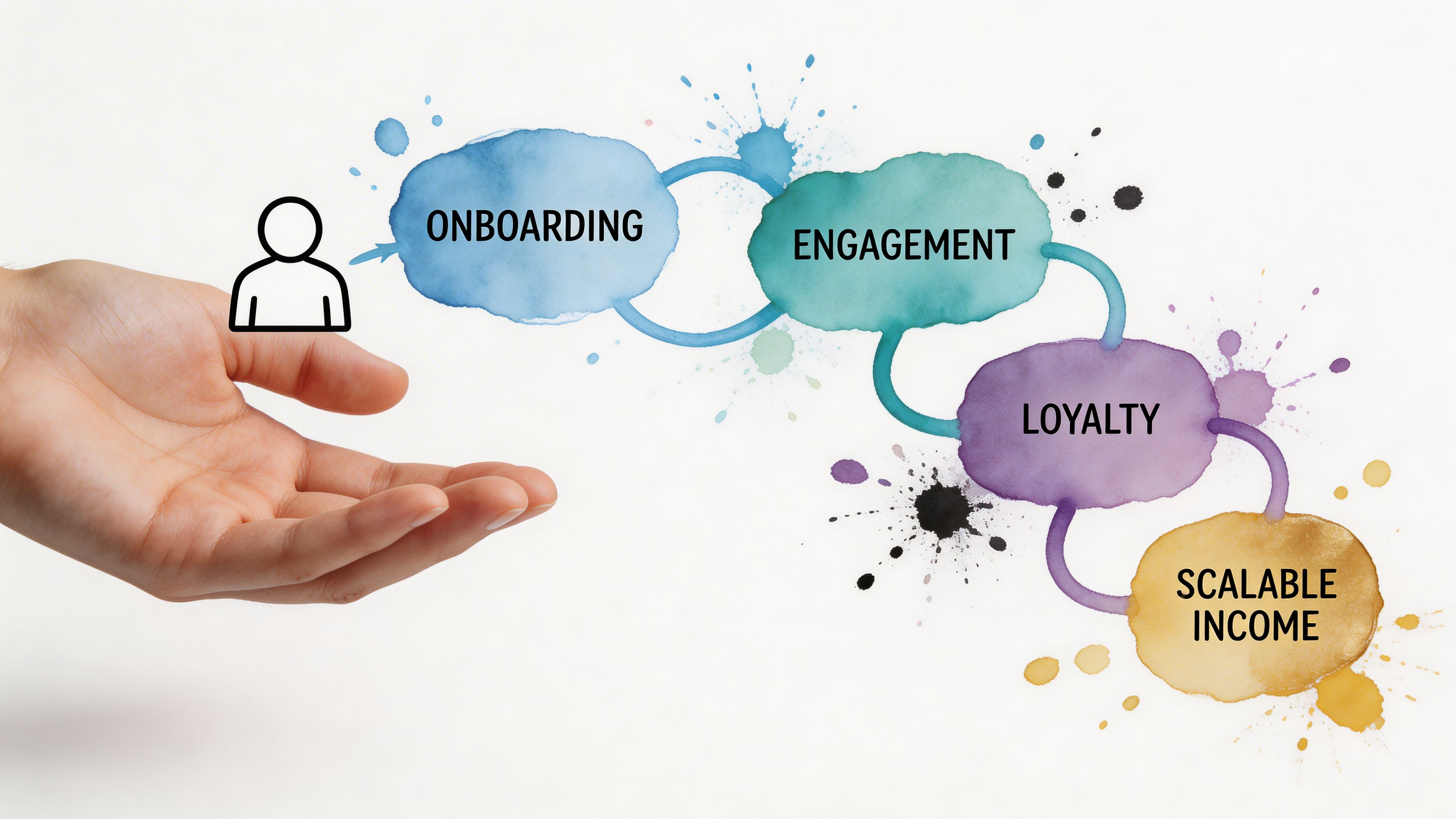
Most coaches think growth starts with more leads. In practice, stable growth starts with better retention.
If clients leave quickly, every month begins from zero. You keep chasing replacements instead of building recurring income. That cycle is exhausting, and it hides the underlying issue. The business may not need more marketing. It may need a better follow-through system.
Retention failures are often subtle in chat-based coaching
In group coaching, people rarely announce that they're drifting. They just stop replying. They stop checking in. They miss a week, then another. If you run a busy WhatsApp or Discord community manually, it's easy to notice only the loudest members. Smart automation helps in this situation, not with spam, but with visibility.
A major gap in coaching automation guidance is the personal side of retention in chat apps. According to this analysis of coaching automation and human connection, automation can save 10 to 15 hours weekly, but 40% of fitness app users churn due to a lack of human feel, and 62% of clients prioritize human connection in fitness coaching over pure automation. The same source notes that emerging AI "CoachClone" tools have shown a 25% retention boost in beta tests.
The lesson is simple. Automation helps retention only when it supports the relationship.
Use retention triggers that feel thoughtful
The strongest retention systems run in the background and prompt the right action at the right time.
Examples that work well:
- Low-engagement alerts when a client hasn't posted, replied, or completed a check-in for a while
- Milestone messages when they complete a month, hit a streak, or reach a key habit goal
- Feedback requests after a visible win or after a coaching cycle ends
- Renewal touchpoints before a subscription rolls over, especially if the client has had a good month
These don't need to sound automated. In fact, they shouldn't.
A message like "You haven't checked in" feels cold. A message like "You crossed my mind because you've been quiet in the group. How are training and energy this week?" feels human. The trigger can be automated. The wording should still sound like you.
Personal touch should be designed into the system
There are a few ways to protect trust while still automating the workflow:
| Retention moment | Bad version | Better version |
|---|---|---|
| Client goes quiet | Generic reminder blast | Personal nudge in your coaching voice |
| Client hits progress milestone | No acknowledgment | Automated celebration with a manual follow-up |
| Renewal is near | Surprise rebill only | Advance message tied to results and next steps |
| Testimonial request | Sent at random | Triggered after a clear win |
If a client feels managed instead of supported, your automation is too visible.
What doesn't work
Some automation choices damage retention fast.
- Bot replies to emotional messages create distance
- Over-scheduled prompts make the group feel noisy
- Generic templates flatten your brand voice
- No human intervention path leaves clients stuck when they need nuance
The fix isn't less automation. It's better boundaries.
Use automation to notice patterns, deliver structure, and start conversations. Then step in where only a coach can step in. That's where retention improves. Not because your system is clever, but because nobody falls through the cracks.
Use Analytics to Scale and Refine Your Business
A coaching business starts to feel lighter when you stop making decisions from mood.
One week can feel busy and productive, then Stripe shows more failed payments than usual, call attendance has slipped, and newer clients are going quiet by week three. That gap matters. In a chat-based coaching business, the operational system only stays healthy if you review what is happening across sales, payments, onboarding, engagement, and renewals as one connected flow.
You do not need a complicated dashboard. You need a short list of numbers that lead to action.
Track the metrics that influence decisions
For a subscription coaching business, I would watch these first:
- Monthly recurring revenue
- Churn
- Average member lifespan
- Engagement inside the group
- Show-up rates for calls or live sessions
- Conversion into premium tiers
Each metric points to a different part of the system. Revenue shows whether the business is growing. Churn shows whether the promise holds after the sale. Engagement and attendance show whether clients are using what they bought. Premium conversions show whether the client journey naturally leads to deeper support.
Stripe shows payment behavior. Your chat platform shows participation patterns. Forms, check-ins, and scheduling tools show follow-through.
That is enough to run a sharp business.
Use a 90-day operating rhythm
Trying to fix everything at once usually creates more admin, not less. A 90-day review cycle works better because it gives each layer of the business time to show its weaknesses.
I use three questions across that period. Where are people getting stuck before they pay? Where are they losing momentum after they join? Where are they leaving before the next level of support becomes obvious?
A practical review cycle looks like this:
| Period | What to review | What to change |
|---|---|---|
| First 30 days | Payment friction, onboarding confusion, missed follow-ups | Simplify the path into the program |
| Next 30 days | Show-up rates, check-in completion, content engagement | Improve delivery and accountability |
| Final 30 days | Renewal behavior, drop-off points, premium upgrades | Strengthen retention and expansion |
This rhythm keeps you from overreacting to one rough week. It also helps you improve the business in the right order. There is no point polishing upsells if clients are still getting lost during onboarding.
Let the numbers point to the friction
Patterns matter more than isolated events.
If churn rises after the first month, review the first two weeks of the client experience. Check how fast clients get their first win, whether your instructions are clear, and whether the support rhythm feels manageable. Many coaches assume a motivation problem when the actual issue is overload.
If engagement drops in the middle of the month, inspect the format of your delivery. Long educational posts often get ignored in busy chat communities. Short prompts, quick wins, and direct questions usually create better response loops.
If premium upgrades stay low, look at the path between offers. Clients should be able to see what extra support gets them, when they are ready for it, and why the next step fits their current stage.
Analytics does not replace coaching judgment. It sharpens it.
Keep the review process simple
A weekly review is enough for most solo coaches.
Check payments, cancellations, inactive members, top-performing posts, and repeated support questions. Then make one change. A cleaner welcome message. A shorter check-in form. A clearer renewal reminder. Small fixes compound when they are tied to real behavior inside the system.
That is how a modern coaching business scales without becoming messy. The automated parts handle the repeatable work. Your review habit keeps the whole operation aligned, from cash flow to client experience to retention.
Your Path to a Freer More Impactful Business
A coaching business becomes lighter when the repeated tasks stop depending on your hands.
That's the core promise of automation. Not a hands-off business. A business where your effort goes into coaching, leadership, and decision-making instead of payment chasing, admin cleanup, and repeated setup work.
When coaches automate well, a few things change fast:
- Money comes in through a cleaner system
- New clients get a better first experience
- Content delivery becomes more consistent
- Retention improves because fewer people get overlooked
- You get time back to coach effectively
That last point matters most. The best part of learning how to automate coaching business operations isn't that you work less for the sake of it. It's that the hours you do work become higher value.
You can spend more time reviewing client progress. You can improve your offer. You can record better resources. You can build premium tiers without breaking the core service. You can take a day off without feeling like the whole thing pauses.
You can build this stack yourself using Stripe, forms, scheduling tools, email software, and an automation layer. Plenty of coaches do. But the more chat-based your business is, the more helpful it becomes to use a platform built for paid access, subscriptions, and community management in WhatsApp, Discord, or Telegram.
Simple systems win.
Frequently Asked Questions About Coaching Automation
Is automation only for big coaching businesses?
No. Small coaching businesses often benefit first because solo coaches feel admin load fastest.
If you're manually handling payments, access, onboarding, and reminders, even a small number of clients can create a lot of invisible work. Automation helps early because it removes repeated tasks before they become chaos.
Will automation make my coaching feel impersonal?
It can, if you automate the wrong things.
Don't automate empathy. Don't let bots handle emotional moments or nuanced feedback. Do automate payments, access, reminders, forms, and routine delivery. The best setup makes your business feel more personal because you have more time and headspace for real coaching.
What should I automate first?
Start with the path from payment to access.
That's the cleanest operational win. After that, automate onboarding. Then set up recurring delivery like check-ins, reminders, and resource distribution. Retention triggers come after the foundations are stable.
Do I need lots of tools to automate coaching business workflows?
No. In most cases, fewer tools work better.
A simple stack can be enough: payment processor, one community platform, one email tool, one form tool, and one automation layer. Complexity breaks faster than simplicity.
Can automation help me scale group coaching without losing quality?
Yes, if your structure is clear.
Group coaching gets stronger when onboarding is consistent, content is organized, check-ins are systemized, and quiet members are flagged before they disappear. Automation handles the structure so you can focus on insight, accountability, and community leadership.
What if I'm not technical?
You don't need to be technical. You need to be methodical.
Start with one workflow. Write it down step by step. Then automate that path. Test it yourself. Fix what feels clunky. Most coaches don't need advanced systems. They need reliable ones.
If you want a simpler way to turn WhatsApp, Discord, or Telegram into a paid coaching space, Join My Coach is built for exactly that. It helps sports and fitness coaches automate subscriptions, payments, and member access without piecing together a complicated stack, so you can spend less time on admin and more time coaching.